
How Capsule CRM Helps Small Businesses Manage Projects from Sale to Delivery
– SmallBizCRM Staff – 17th November 2026
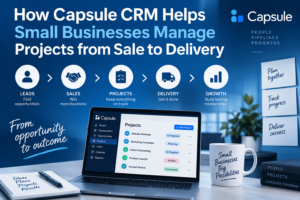 Winning a new customer is only the beginning of a successful business relationship. Once a sale has been agreed, there are often deadlines to meet, tasks to complete, documents to organise and regular communications to manage.
For small businesses, keeping all this information organised can become difficult, particularly when different employees are responsible for different parts of the work.
Capsule CRM Projects provides a way to manage this activity alongside customer and sales information. Rather than keeping project details in separate spreadsheets, email conversations and task lists, businesses can bring important information together in one place.
Capsule’s Projects feature is designed to help businesses organise work, monitor progress and manage the activities that take place before, during and after a sale.
What Is Capsule CRM Projects?
Capsule Projects is a feature within the Capsule CRM platform that allows businesses to organise work associated with a particular customer, contact or business activity.
A Project acts as a central record for the work being undertaken. It can contain relevant contacts, tasks, notes, emails, files and other information relating to that project.
For example, an accountancy practice could create a separate Project for each client’s annual accounts. A property agency might use Projects to organise work relating to individual properties, while a consultancy could use them to manage client assignments.
The advantage is that the information relating to the work can be accessed alongside the customer relationship it supports.
Projects are available across Capsule’s subscription plans, although some management capabilities, particularly the number of Project Boards available, depend on the plan selected.
1. Organise Work with Capsule Project Boards
One of the most useful features of Capsule’s project management functionality is its visual Project Board.
Boards use a Kanban-style layout, with columns representing different stages of a project. Each project appears as a card that can be moved through the stages as work progresses.
A business might organise its stages around a straightforward workflow:
- Project Brief: Establish the requirements and objectives.
- Planning: Allocate responsibilities and prepare the work.
- Delivery: Carry out the agreed activities.
- Monitoring: Check progress and address outstanding work.
- Review: Complete the project and assess the results.
These stages can be customised to reflect the way a business operates.
As a project moves forward, users can update its stage, including by dragging and dropping its card into another column on the Board.
This provides a useful overview of ongoing work. Managers and team members can see which projects are progressing, which are waiting for action and where work may be getting held up.
Capsule allows one Project Board on its Free and Starter plans. Businesses needing multiple workflows can access additional boards on higher plans. Growth supports five boards, Advanced supports 50 and Ultimate offers unlimited boards.
This is particularly useful for businesses with different departments or services that follow separate delivery processes.
2. Keep Tasks and Responsibilities Organised
Projects often involve a series of smaller activities that need to be completed before the overall work can be considered finished.
Capsule allows users to add Tasks directly to a Project. These can cover everyday responsibilities such as arranging a meeting, preparing documents, ordering materials or sending an invoice.
Tasks can be assigned and given due dates, helping team members understand what needs to happen next.
For businesses that follow the same process repeatedly, Capsule also offers Tracks.
Tracks are predefined sets of tasks that can be applied to Projects. Instead of manually creating the same list of activities every time a new project begins, a business can use an existing Track to establish a consistent workflow.
For example, a consultancy might create a Track containing:
- Arrange the initial client meeting.
- Collect the client’s information.
- Prepare the project proposal.
- Confirm the agreed scope of work.
- Begin delivery.
- Arrange a final review.
This can reduce repetitive administration and help teams follow a consistent process.
Tracks can be particularly useful for businesses handling similar customer assignments throughout the year.
3. Connect Projects to Sales Opportunities
An important advantage of using Capsule is that Projects can be linked to sales Opportunities.
This helps businesses manage the transition from winning a customer to delivering the agreed work.
Consider a small marketing agency. Its sales team might use Capsule’s sales pipeline to track a potential client’s enquiry, discussions, proposal and final agreement.
Once the sale is successful, the agency can create a Project and link it to the original Opportunity.
The Project then provides a place to manage the work that follows the sale.
This connection helps keep the commercial relationship and the delivery process associated with one another. It also makes it easier for team members to understand what was agreed and what needs to happen next.
For businesses where customer relationships continue long after the initial sale, this can be particularly valuable.
4. Keep Project Communications and Documents Together
Project work often generates a considerable amount of correspondence and supporting information.
Capsule allows users to store relevant emails, log calls and meeting notes, and attach files to Project records.
This creates a shared history of activity relating to the work.
For example, a consultant can record the outcome of a client meeting, attach a supporting document and keep relevant email correspondence associated with the Project.
Capsule also provides a Mail Drop Box for attaching emails to existing Projects or creating new Project records from forwarded correspondence.
Keeping communications together can make it easier for colleagues to understand what has happened, particularly when responsibilities change or another team member needs to take over.
It also reduces the need to search through separate email inboxes to find important project information.
5. Monitor Progress and Review Project Information
Managing several projects at once requires a clear understanding of their current status.
Capsule provides both Board and List views, allowing users to look at their Projects in different ways.
The Project Preview panel provides a summary of an individual Project, including its main contact, description, Board and Stage, expected close date, recent activity and next upcoming Task.
Users can also filter Project records to find specific information and save useful lists for future reference.
For businesses that need to work with their project information outside Capsule, filtered Project lists can be exported to CSV or Excel, subject to the relevant user permissions.
These features can help managers review ongoing work, identify outstanding activities and maintain a clearer picture of their business commitments.
Which Small Businesses Could Benefit from Capsule Projects?
Capsule’s Projects feature can be useful for businesses where customer relationships involve several stages of work.
Examples include:
| Business type | Potential use |
|---|---|
| Accountants | Organising tax returns, annual accounts and client deadlines |
| Real estate agencies | Managing property-related work and customer communications |
| Consultants | Tracking client assignments and agreed deliverables |
| Marketing agencies | Coordinating campaigns and client projects |
| Travel companies | Organising tailored tours and customer arrangements |
| Construction businesses | Keeping project information and customer details together |
The feature is particularly relevant to small teams that want to organise customer-related work without introducing an entirely separate system.
However, businesses should consider the complexity of their requirements before choosing a CRM for project management.
Is Capsule CRM a Replacement for Dedicated Project Management Software?
Capsule Projects offers useful tools for organising customer-related work, but it is important to understand what it is designed to do.
It is primarily a CRM-based project management feature. Its strength lies in connecting projects with contacts, sales opportunities, communications and customer records.
Businesses looking for a straightforward way to organise client work may find this approach convenient.
However, companies managing complex projects may require more specialised capabilities, such as advanced resource planning, detailed project scheduling, extensive dependency management or sophisticated project reporting.
Those businesses may be better served by dedicated project management software, potentially used alongside Capsule.
The right choice depends on the amount of work being managed and the level of project control required.
Is Capsule CRM Projects Worth Considering?
For small businesses that want to keep customer relationships and project delivery connected, Capsule Projects offers a practical approach.
Its Project Boards provide a visual overview of ongoing work, while Tasks and Tracks help organise individual activities and repeatable processes. The ability to link Projects to sales Opportunities also creates a useful connection between winning business and delivering the agreed work.
Not every business needs a sophisticated project management platform. Some simply need a reliable way to organise customer assignments, keep communications together and make sure important tasks are not overlooked.
Capsule offers that functionality within its existing CRM environment.
Businesses considering Capsule should compare the available subscription plans, particularly if they need multiple Project Boards or additional CRM capabilities.
The final verdict: Capsule CRM is worth considering for small businesses that want customer management and straightforward project organisation in one system. It may not replace specialist project management software for complex operations, but for customer-focused teams, its integrated approach can make everyday work easier to organise.