

- Alerts/Notifications
- Api
- Call Centre Management
- Collaboration Tools
- Customer Database
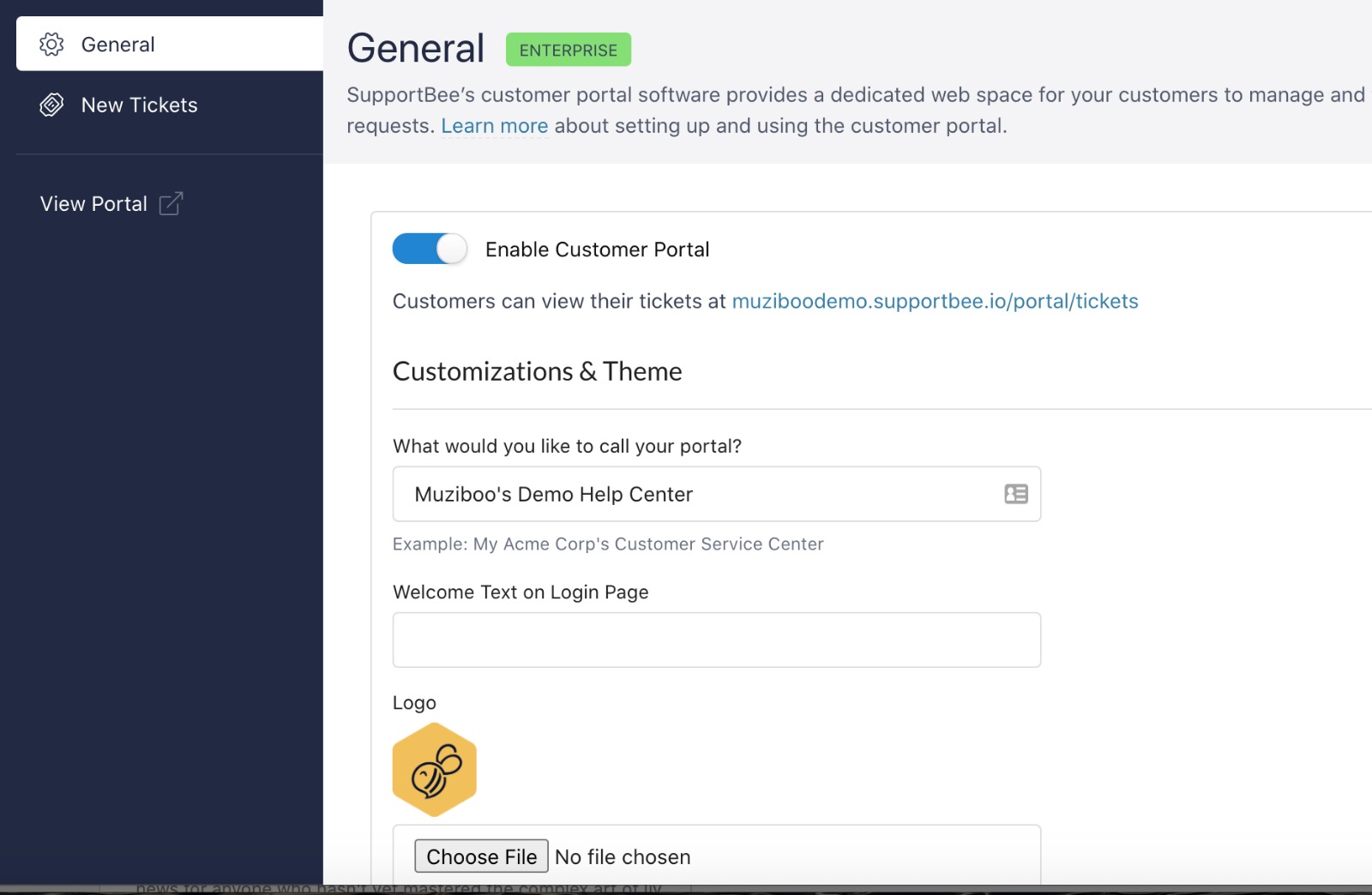
- Customer Portal
- Customisable Branding
- Email Management
- Knowledge Base
- Knowledge Base Management
- Pipelines
- Macros/Templated Responses
- Mobile Access
- Queue Management
- Reporting Analytics
- Support Ticket Management
- Tagging
- Third-Party Integrations
- Ticket Management
Amount of users
10+
Training/Documentation

Online Support
Mobile Access
SupportBee Review:
Years ago, in our own business, we built a knowledge base for the product we supported. It proved invaluable, not simply as a source of answers for customers, but as a way of capturing what we knew about the product and making that knowledge available to the whole support team.
It also helped ensure that everyone was giving customers the same advice. We had experienced situations where two support people recommended different solutions to the same problem. A properly maintained knowledge base gave us a *single source of truth*, while also making it considerably easier to onboard new staff.
I also came to appreciate that a good knowledge base has value beyond customer support. It captures institutional knowledge, processes and accumulated product expertise that might otherwise disappear when employees leave. In that sense, it can become a genuine business asset — and, potentially, something that adds to the underlying value of the company.
That is one reason the knowledge-base component of SupportBee interests me. I am less interested in whether a product can simply publish an FAQ than in whether it can help a small business capture, organise and retain what it knows.
1. At a glance
Is this you?
A small business often starts with something like:
Customer → support@company.com → Gmail/Outlook → several people reply → somebody forwards an email → somebody forgets → customer follows up → nobody knows who owns it.
SupportBee turns that into:
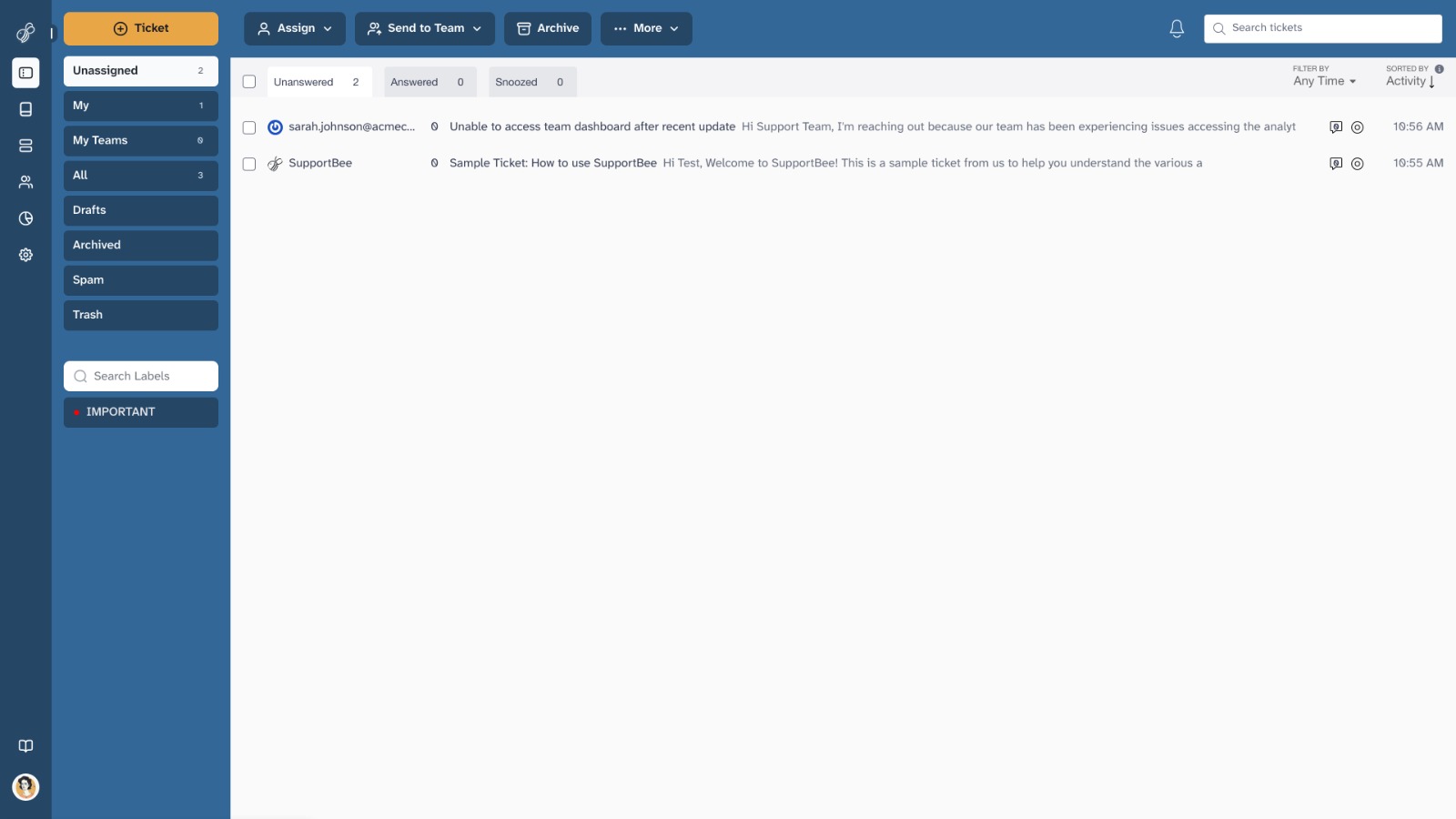
Customer email → SupportBee → ticket → assignment → internal comments → reply → follow-up → archive/reporting.
Executive verdict
Recommendation:
Recommended for the right business, particularly an SMB that is primarily email-based and values simplicity over breadth.
SupportBee is a deliberately narrow product. It is essentially a collaborative customer-support inbox that turns email into an organised support workflow, with ticket assignment, internal collaboration, automation, knowledge-base functionality, reporting and integrations.
That narrowness is both its principal strength and its principal weakness.
If a five- or ten-person business currently handles customer support through Gmail, Outlook or a shared mailbox and is beginning to lose track of conversations, SupportBee could be a very sensible upgrade. It is relatively inexpensive, comparatively easy to learn, and does not force a small business to adopt the elaborate machinery of an enterprise help desk
| Best suited to | Small teams handling customer support primarily through email |
|---|---|
| Probably not suited to | Businesses needing sophisticated omnichannel, AI, voice, social or enterprise service management |
| Sweet spot | Roughly 2–20 support users |
| Micro-business | Yes, particularly if several people share responsibility for support |
| Small business | Excellent fit if email is the dominant channel |
| Medium business | Possible, but depends heavily on complexity rather than headcount |
| Large enterprise | Generally not the obvious choice |
| Technical expertise | Low to moderate |
| Implementation burden | Low |
| Learning curve | Low |
| Price position | Competitive |
| Feature breadth | Modest compared with major help desks |
| Email support | Strong |
| Knowledge base | Good |
| Reporting | Adequate rather than exceptional |
| Automation | Useful but relatively simple |
| Omnichannel support | Weak |
| AI capability | Not a major strength |
| Enterprise governance | Limited compared with Zendesk/Freshdesk |
| Overall | Recommended for the right business |
Best suited to
SupportBee makes the most sense for:
- small SaaS companies;
- professional-services firms;
- agencies;
- B2B companies;
- online businesses;
- membership organisations;
- nonprofits;
- specialist retailers;
- companies receiving substantial customer enquiries by email;
- companies where several people handle customer service rather than a dedicated call centre.
It is particularly attractive when the alternative is “let’s keep using Gmail/Outlook and hope nothing gets forgotten.”
Less suited to
I would look elsewhere if you need:
- native telephone/contact-centre functionality;
- sophisticated live chat;
- extensive WhatsApp/social-media support;
- complex omnichannel routing;
- sophisticated SLA management;
- advanced workforce management;
- highly granular reporting;
- extensive AI-agent automation;
- a huge integration marketplace;
- elaborate enterprise permissions and governance;
- highly customised customer-service workflows.
One-sentence verdict
SupportBee is a good, comparatively inexpensive replacement for a chaotic shared support mailbox; it is much less compelling as a full-scale customer-experience platform.
2. What problem does SupportBee actually solve?
The fundamental problem is surprisingly mundane:
Too many people are dealing with customer email, and nobody has a reliable system for knowing what has been answered, who owns it, what still needs doing, and what happened previously.
A small business often starts with something like:
Customer → support@company.com → Gmail/Outlook → several people reply → somebody forwards an email → somebody forgets → customer follows up → nobody knows who owns it.
SupportBee turns that into:
Customer email → SupportBee → ticket → assignment → internal comments → reply → follow-up → archive/reporting.
The product’s core model is therefore not radically innovative. Its value comes from imposing just enough structure on email without turning customer support into an elaborate IT system.
SupportBee itself describes its setup around connecting email and adding users, with teams, comments, business rules, snippets and integrations available as the organisation becomes more sophisticated.
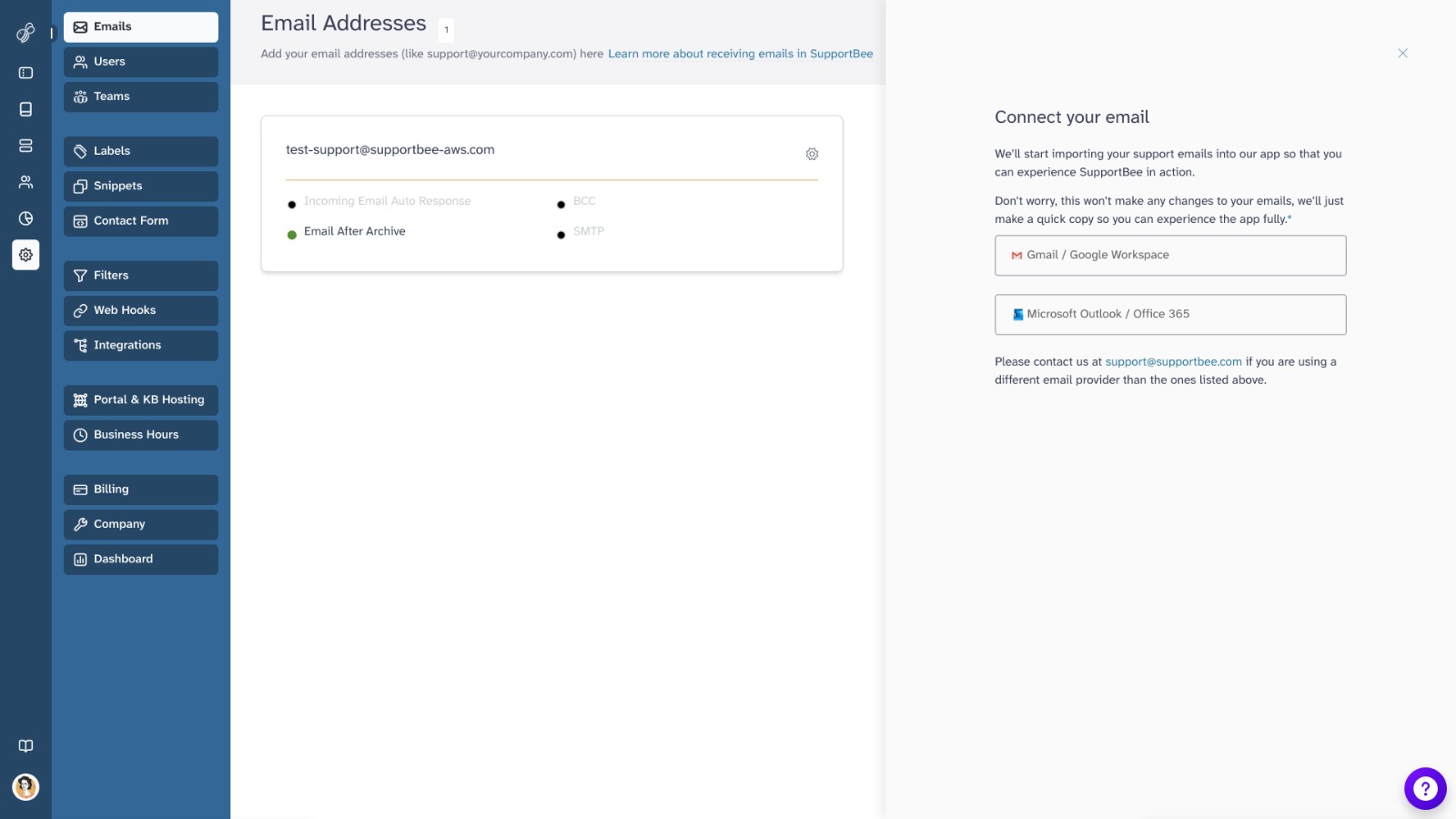
The product also now supports direct Gmail and Outlook integrations rather than requiring the older SMTP-forwarding approach. SupportBee says the direct integrations provide two-way synchronisation and better reliability than its legacy forwarding method.
Problems it genuinely solves well
- Shared ownership of email
Several people can see and work on the same customer-support workload.
- Accountability
Tickets can be assigned and SupportBee maintains an audit trail showing assignments, replies, comments, state changes and other actions.
- Internal collaboration
Staff can comment internally without putting those comments into the customer’s conversation.
- Basic workflow automation
Filters, snippets and assignment rules reduce repetitive manual work.
- Knowledge sharing
A built-in knowledge base can provide customers with self-service information and can also assist agents while handling tickets.
- Basic performance monitoring
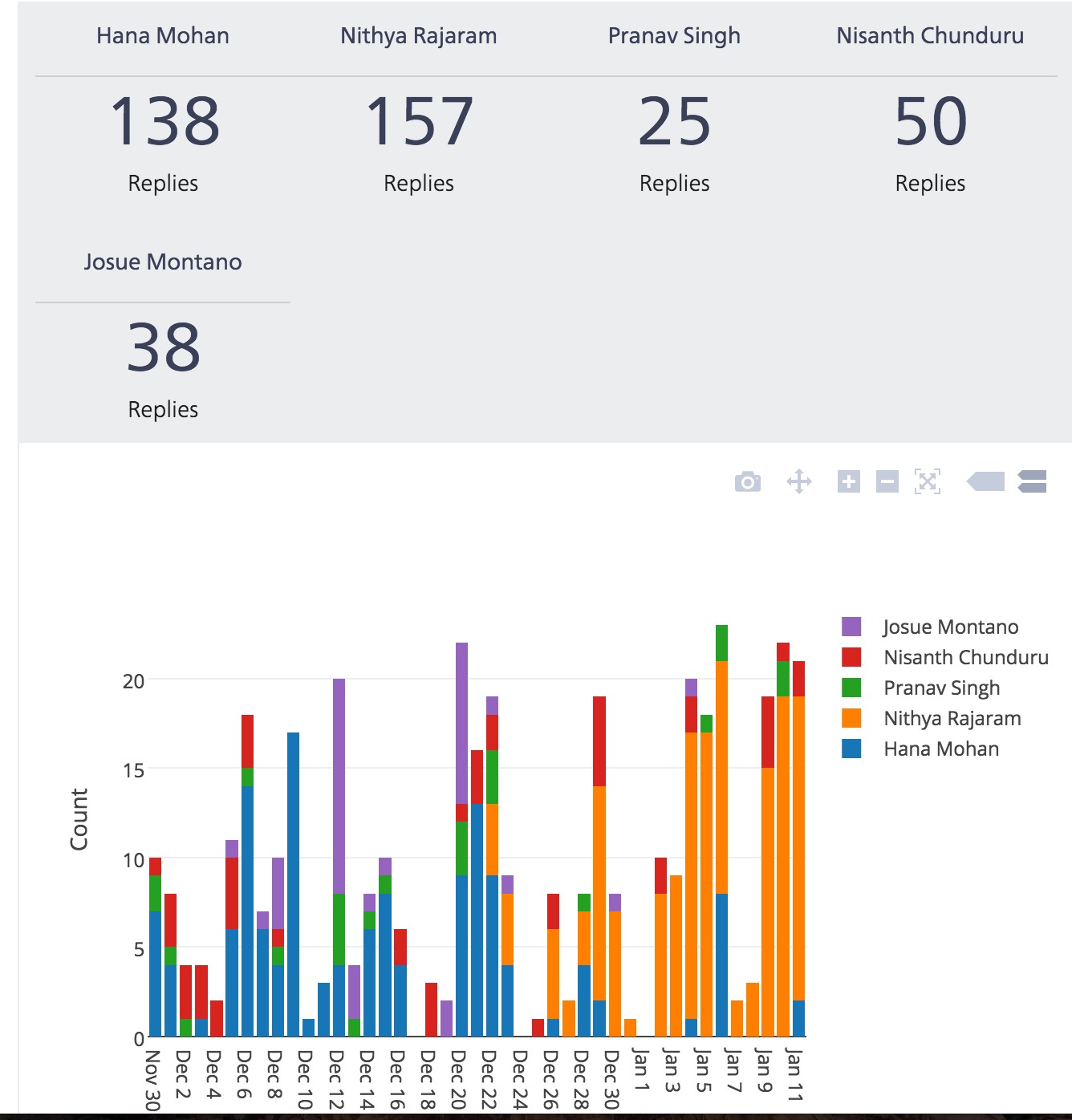
Managers can monitor ticket volumes, replies, first-response times and average time to archive, including breakdowns by agent, team and label.
Problems it only partially solves
SupportBee can organise customer support, but it does not magically create a good customer-service operation.
It does not solve:
- poor internal processes;
- inadequate product documentation;
- insufficient staffing;
- poor customer communication;
- complicated order-management processes;
- customer-success management;
- CRM strategy;
- sophisticated service-level management.
In other words, it provides the plumbing, not the entire customer-service department.
What it does not attempt to solve particularly well
The product is not really competing to become a complete contact-centre platform.
That distinction matters.
SupportBee is fundamentally email-first. Even SupportBee’s own current comparison material describes it as best for small, email-based teams and notes that phone and live chat are not native strengths.
3. Ideal customer profile
The sweet spot
I would put SupportBee’s strongest target customer roughly here:
2–20 people involved in support, perhaps 5–100 employees overall, with email as the dominant customer-service channel.
It can certainly be used beyond that range. The question is whether the organisation’s operational complexity eventually overwhelms the advantages of simplicity.
Particularly attractive scenario
Imagine a 15-person software company.
It receives 300–1,000 customer emails per month.
Three people handle support, but sales, development and management occasionally need to contribute.
Today they use Gmail.
Problems:
- emails get missed;
- staff duplicate responses;
- nobody knows who owns an issue;
- there is no useful history;
- common answers are repeatedly written;
- managers have no meaningful view of response performance.
SupportBee is almost tailor-made for that situation.
Less attractive scenario
Now imagine a 200-person e-commerce company with:
- email;
- WhatsApp;
- Facebook;
- Instagram;
- telephone;
- live chat;
- hundreds of thousands of customers;
- complex returns;
- multiple SLAs;
- several customer-service teams;
- sophisticated routing;
- AI automation;
- detailed operational reporting.
SupportBee becomes a much less obvious choice.
4. Industry suitability
Excellent fit
SaaS and software
Probably one of the strongest use cases. Technical support often starts with email, and the ability to route questions to developers or specialists is useful.
Professional services
Consultancies, agencies, accountants and specialist service businesses often need a simple shared system rather than a contact centre.
B2B services
Particularly where customer relationships are relatively high-value and communication remains email-driven.
Nonprofits and membership organisations
The independent review population includes nonprofits using SupportBee successfully, including organisations with 11–50 and 51–200 employees.
Good fit
- education/training businesses;
- specialist retailers;
- property-related businesses;
- events businesses;
- small manufacturers;
- subscription businesses;
- online services;
- associations.
Possible fit
E-commerce
It can work well if support is predominantly email-based. But high-volume ecommerce businesses increasingly expect integration with order systems, social channels, messaging and automation. Freshdesk and other broader platforms may therefore become more attractive.
Poor fit
- call centres;
- telecommunications support operations;
- large financial institutions;
- large healthcare organisations with stringent specialised compliance requirements;
- organisations requiring complex ITSM;
- businesses whose customer service is primarily WhatsApp/social/live-chat based;
- very large multinational support operations.
The distinction is important: Industry alone doesn’t determine suitability. Workflow does.
A 30-person SaaS company can be a better SupportBee customer than a 10-person ecommerce company if the SaaS company’s support is almost entirely email-based.
5. Ease of use
Overall assessment: Easy
This is arguably SupportBee’s strongest competitive advantage.
Independent review data strongly supports the claim.
Capterra currently gives SupportBee 4.5/5 for ease of use, with an overall rating of 4.4/5 from 34 reviews.
Several reviewers specifically describe the product as easy to set up and requiring little training. One long-term user reported using it for approximately ten years and cited simplicity and the lack of a training requirement as major reasons for choosing it.
Setup
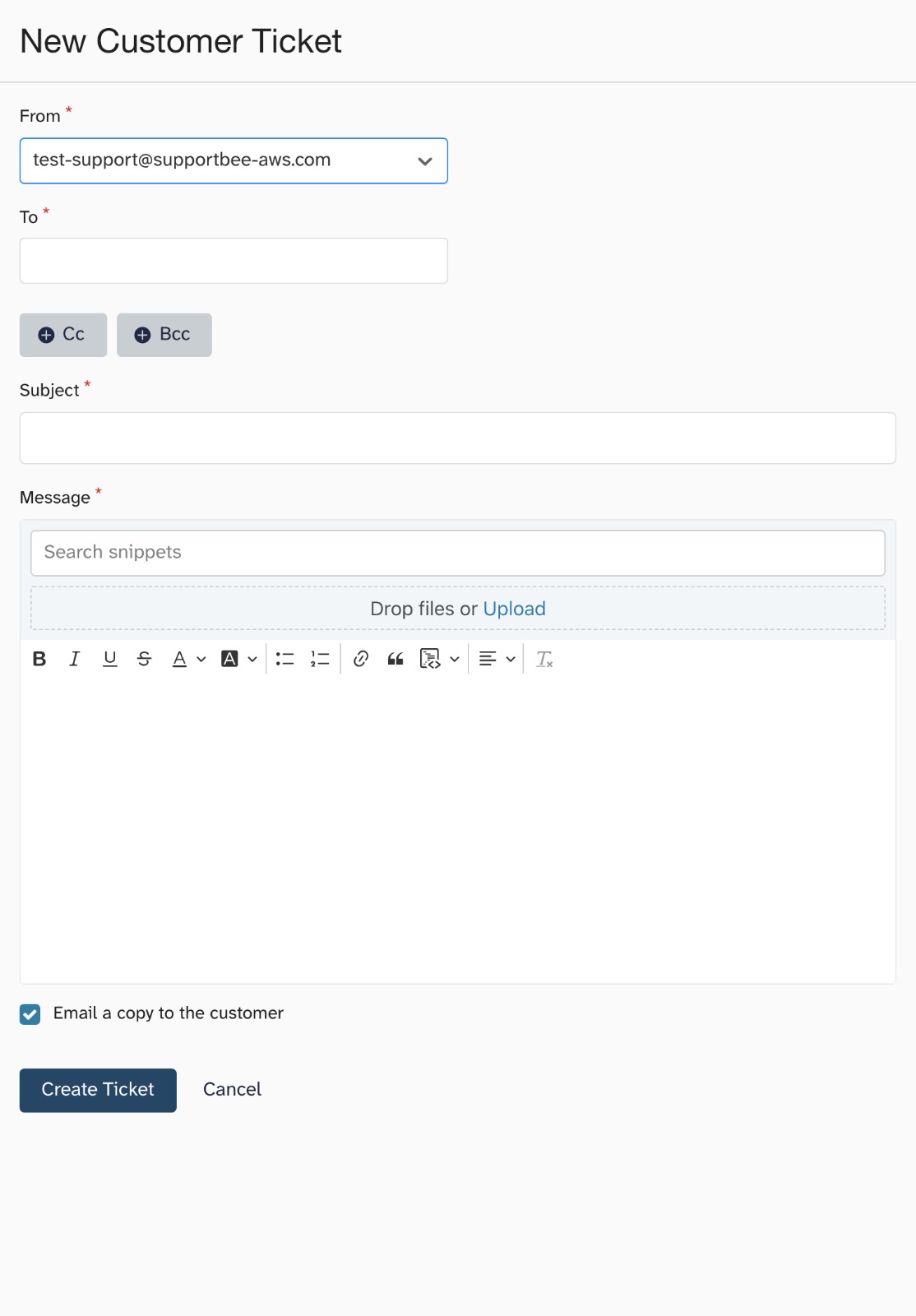
SupportBee’s basic setup is straightforward:
- connect email;
- add users;
- start handling tickets.
More sophisticated functions can then be added.
That is a sensible approach for an SMB because it means the business doesn’t have to design an elaborate support operation before it can start using the software.
Interface
The interface deliberately resembles email rather than a conventional enterprise ticketing system.
That matters more than it may sound.
A small-business employee who already understands Gmail or Outlook does not need to learn an entirely new mental model.
Learning curve
Low.
This is one area where independent evidence and product positioning agree.
The Capterra review pool contains multiple comments about the software being easy to learn and requiring little training.
Documentation
SupportBee has extensive online documentation covering setup, ticket handling, integrations, API usage and knowledge-base management.
Integrations
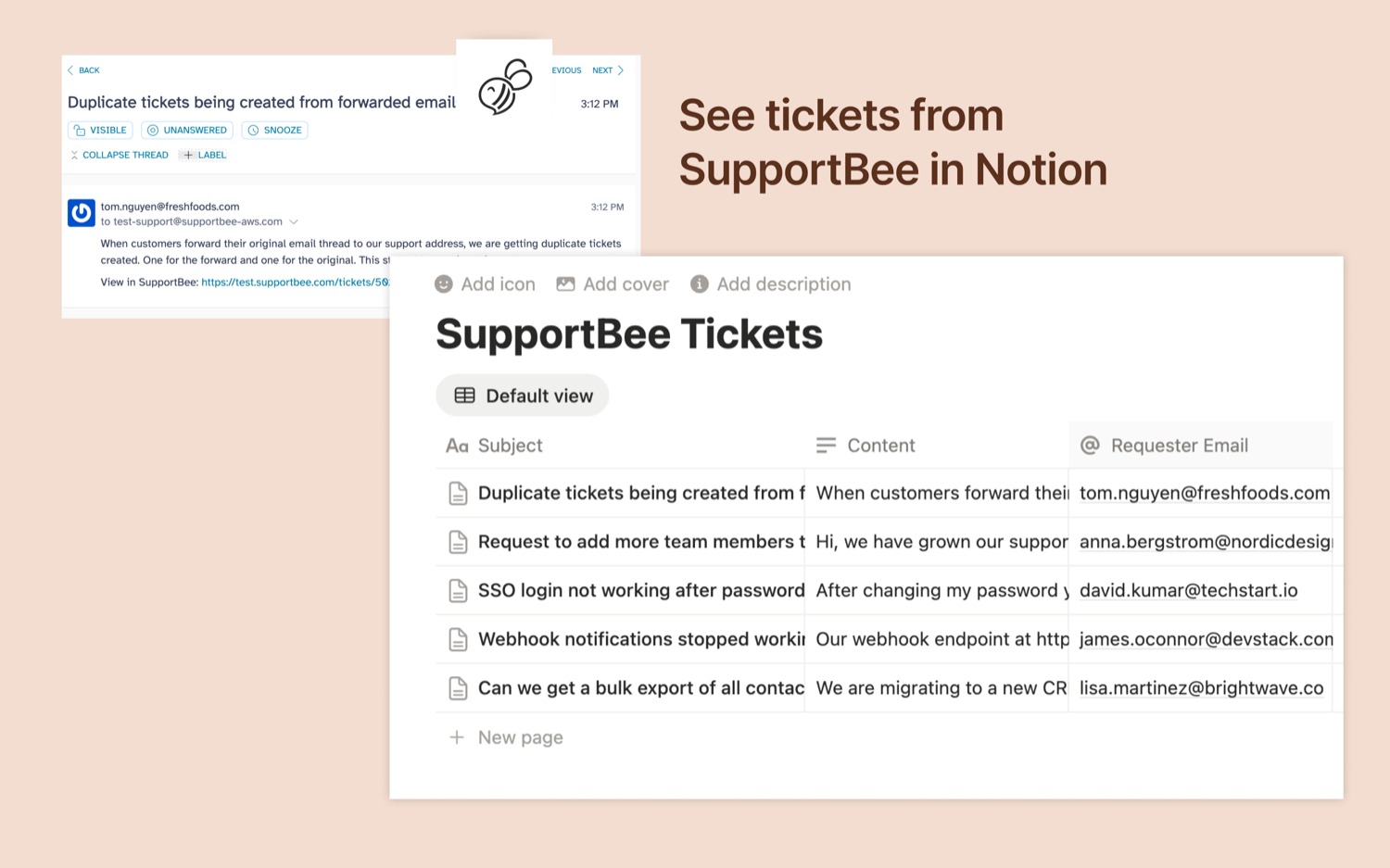
SupportBee currently lists integrations including:
- Slack;
- Asana;
- Basecamp;
- ClickUp;
- GitHub Issues;
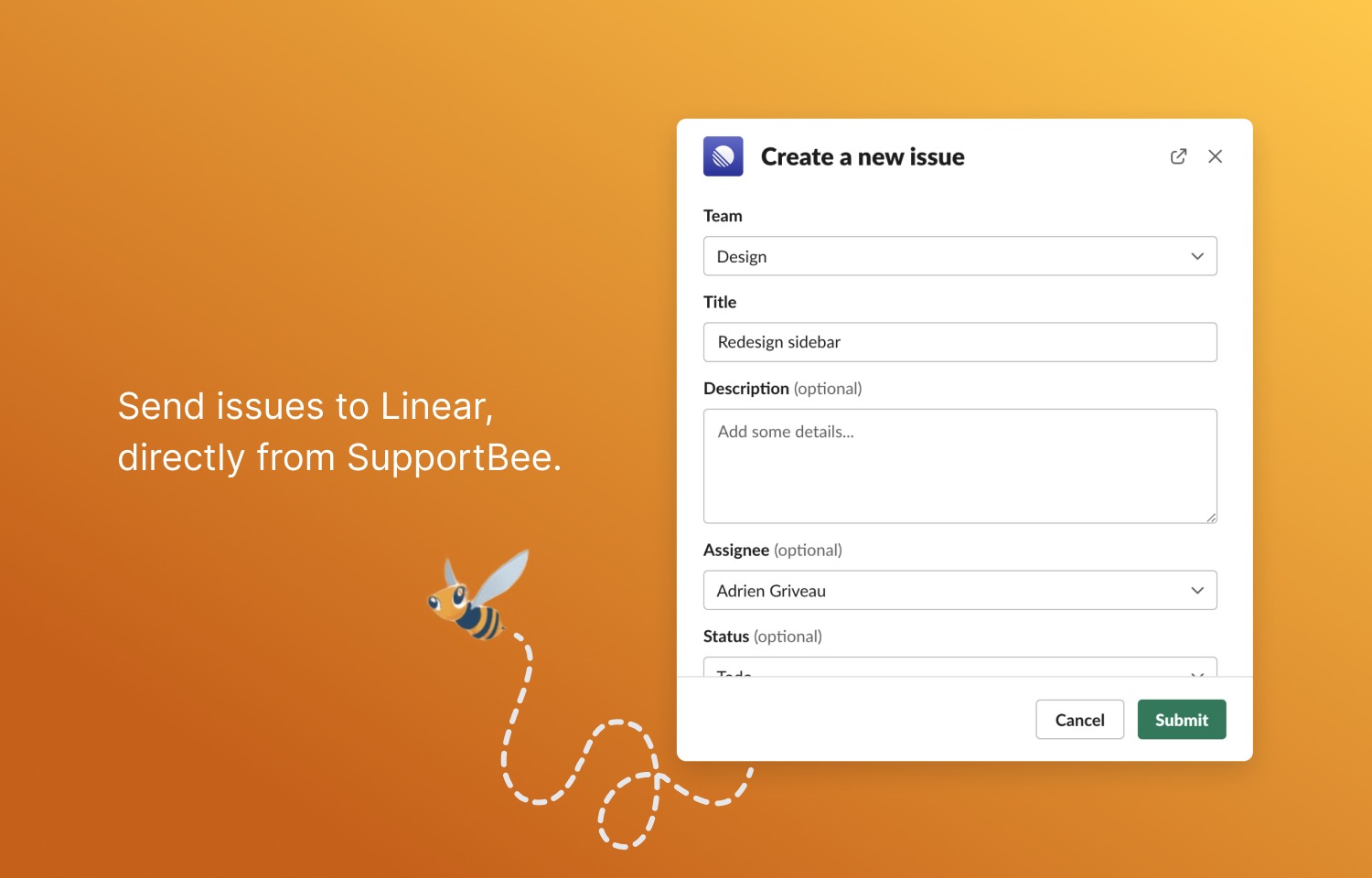
- Linear;
- Notion;
- Trello;
- Pipedrive;
- Capsule CRM;
- Insightly;
- QuickBooks;
- PostHog;
- webhooks.
It also offers an API.
That is respectable for a small product, although it is nowhere near the breadth of the largest help-desk ecosystems.
Administration
SupportBee has three principal permission levels:
- Admin;
- Agent;
- Collaborator.
Collaborators can participate in ticket discussions without receiving full ticket-management permissions, which is a sensible SMB feature because developers, salespeople or managers can be brought into support conversations without turning them into support agents.
Where usability starts to crack
This is where independent reviews become more useful than the marketing.
One recent Capterra reviewer praised the simplicity but criticised:
- search;
- message formatting;
- snippet management;
- filtering.
Another reviewer complained that multiple tickets could not easily be snoozed together.
Importantly, SupportBee responded in March 2026 that it had already made improvements to search and was working on other issues.
That suggests the criticism is real, but also that the company is responsive to it.
6. Major strengths
1. Simplicity
This is SupportBee’s biggest advantage.
It doesn’t make a small company build an IT department around customer support.
2. Excellent email workflow
If customer support is fundamentally email, SupportBee’s model makes sense.
3. Low implementation burden
A business can start small and add teams, automation, integrations and knowledge-base functionality later.
4. Good collaboration
Assignment, comments, teams, private tickets and audit trails are practical features rather than enterprise decoration.
5. Useful knowledge base
The knowledge base supports rich content, images, videos, attachments, custom domains, access controls and embedded help content.
6. Sensible API
The REST API provides access to tickets, customers, agents, reports and automation capabilities.
That makes SupportBee considerably more flexible than a basic shared inbox.
7. Predictable pricing
The current published price is:
- Startup: $20/user/month monthly, or $17/user/month when billed annually;
- Enterprise: $25/user/month monthly, or $21/user/month annually.
Annual billing therefore saves roughly 15–20%.
There is also a 14-day trial without requiring a credit card.
8. Good customer support reputation
Customer service is one of the better-rated aspects of the product. Capterra currently gives it 4.4/5, while numerous individual reviews specifically praise the responsiveness of SupportBee’s staff.
7. Important weaknesses
This is where I would be careful about interpreting the positive ratings.
1. It is comparatively feature-light
That is not necessarily a flaw.
But a buyer should understand that “simple” and “limited” can sometimes look identical from different perspectives.
SupportBee has deliberately avoided becoming Zendesk.
That is wonderful if you hate Zendesk.
It is less wonderful if you actually need Zendesk’s functionality.
2. Reporting is relatively basic
SupportBee provides useful operational metrics such as:
- ticket volume;
- replies;
- archived tickets;
- first-response time;
- time to archive;
- agent/team/label comparisons.
But the reporting system is not especially sophisticated.
This criticism also appears in independent reviews. One reviewer explicitly wanted more detailed reporting and better support-performance insight.
3. Search and message handling have had rough edges
This is probably the most significant usability criticism in the independent reviews.
A 2024 user called the search function effectively unusable and complained about formatting and snippets. SupportBee subsequently said it had improved search.
I would therefore test search extensively during the trial rather than assuming the current product completely eliminates the problem.
4. Slow feature development
This appears repeatedly enough to be worth noting.
One long-term user praised SupportBee but said new features do not always arrive quickly.
That is consistent with the overall impression of SupportBee as a relatively focused, smaller product.
5. Limited omnichannel capability
This is probably the biggest strategic limitation.
If your customers increasingly communicate through:
- WhatsApp;
- social media;
- live chat;
- telephone;
- messaging apps;
SupportBee’s email-first philosophy becomes a constraint.
6. AI is not its major selling point
The 2026 customer-support market is moving aggressively toward AI agents, automated resolution, AI-assisted replies and conversational self-service.
SupportBee has clearly been discussing AI and integrating with the broader AI ecosystem, but its core product remains an email support system rather than an AI-first service platform.
If AI automation is a major purchasing criterion, I would put Freshdesk, Help Scout, Intercom or Zendesk on the shortlist before SupportBee.
8. Potential deal-breakers
For a small email-based business
Probably none.
For a growing omnichannel business
Potentially several.
Before purchasing, I would specifically test:
- Search — can an agent find a two-year-old conversation quickly?
- Complex email threads — do forwarded and CC’d messages behave correctly?
- Attachments and formatting — especially if documents are exchanged.
- Multiple teams — can information be restricted appropriately?
- Reporting — does management get the metrics it actually needs?
- Customer portal — does it meet the company’s expectations?
- Integrations — particularly CRM and ecommerce systems.
- Data residency/compliance — particularly for regulated industries.
- Future channel requirements — what happens when customers demand WhatsApp/chat/voice?
- AI strategy — determine whether the company’s support model will require AI automation over the next 2–3 years.
9. Security and data considerations
SupportBee states that it uses AWS, multiple availability zones, automated deployments and disaster-recovery testing, and targets 99.9% uptime. It also supports two-factor authentication and says it is GDPR compliant.
There is, however, an important detail that prospective buyers should not overlook.
SupportBee’s privacy policy states that its servers are located in the United States and that international transfers use Standard Contractual Clauses for EEA/UK transfers.
That is significant because some older third-party reviews mention European hosting as a reason for selecting SupportBee. That should not be treated as evidence of current European data residency.
I also did not find convincing public evidence in the material reviewed that SupportBee holds the same breadth of third-party security certifications as larger enterprise-oriented platforms. That doesn’t mean the service is insecure; it means a regulated business should conduct its own vendor-security assessment rather than relying on “GDPR compliant” as a sufficient security qualification.
On the positive side, SupportBee says customers can export their data using its API, which reduces the risk of absolute vendor lock-in.
10. Value for money
Current published pricing
| Team | Startup annual billing | Enterprise annual billing |
|---|---|---|
| 2 users | $34/month | $42/month |
| 5 users | $85/month | $105/month |
| 10 users | $170/month | $210/month |
| 20 users | $340/month | $420/month |
These calculations use SupportBee’s published $17/user/month Startup and $21/user/month Enterprise annual prices.
For an SMB, that is quite attractive.
A five-person support team paying $85/month for the Startup plan is a very different proposition from putting those five people on an enterprise help desk costing several hundred dollars per month.
But price alone is misleading.
Consider three current alternatives:
| Product | Entry price | Main advantage over SupportBee |
|---|---|---|
| SupportBee | $17/user/mo annual | Simplicity and email-first workflow |
| Freshdesk | $19/agent/mo annual | More extensive help-desk capability and AI |
| Help Scout | $25/user/mo monthly | More polished conversational support ecosystem |
| Zendesk Support | $19/agent/mo annual | More sophisticated enterprise ticketing at the entry level |
| Front | $25/seat/mo annual | Sophisticated collaborative/omnichannel inbox |
Freshdesk currently starts at $19/agent/month billed annually and includes ticketing, shared inbox, customer portal, knowledge base and reporting; more advanced functionality appears at its higher tiers.
Zendesk’s Support Team plan currently starts at $19/agent/month annually, while its much broader Suite Team is $55/agent/month.
Front’s current Starter plan is $25/seat/month annually, with shared inbox, ticketing, basic analytics and a knowledge base; higher tiers add substantial omnichannel and automation capabilities.
So SupportBee isn’t merely “cheap.”
It occupies an interesting position:
It is cheap because it does less — not because it is necessarily a bargain version of Zendesk.
That distinction should be made explicit to buyers.
11. Competition and alternatives
SupportBee vs Freshdesk
Choose SupportBee if:
- email is overwhelmingly dominant;
- simplicity is important;
- you have a small team;
- you don’t need sophisticated automation;
- you want minimal administration.
Choose Freshdesk if:
- you want more functionality;
- AI is important;
- you expect to grow;
- you need more sophisticated routing/SLA/reporting;
- you want a broader help-desk ecosystem.
Freshdesk’s current feature set includes AI agents, shared inbox, knowledge base, customer portal, analytics, routing and SLA capabilities.
My verdict: Freshdesk is the stronger all-round platform; SupportBee is the more attractive minimalist platform.
SupportBee vs Help Scout
This is probably the most interesting comparison for an SMB.
Both products appeal to businesses that don’t want traditional enterprise help-desk complexity.
Help Scout currently starts at $25/user/month and offers a broader ecosystem including mobile applications, Beacon, live chat and knowledge-base functionality.
SupportBee is cheaper.
Help Scout is broader.
If the business wants “email support done simply”, SupportBee has a strong argument.
If it wants “a modern customer-support platform that remains relatively easy to use”, I would probably investigate Help Scout very seriously.
SupportBee vs Zendesk
This isn’t really an apples-to-apples contest.
Zendesk is vastly more capable.
Its current product range covers email, voice, SMS, live chat, messaging, reporting, AI and a large integration ecosystem.
The question is therefore:
Do you actually need all that?
For a six-person professional-services company: probably not.
For a 200-agent multinational support operation: very possibly yes.
SupportBee vs Front
Front is particularly interesting because it also sits between a shared inbox and a traditional help desk.
Front’s Starter plan currently costs $25/seat/month annually and includes shared inbox, ticketing, AI topics, automation and analytics. Its higher plans add omnichannel communication, advanced analytics and substantially more automation.
Front is therefore the more ambitious product.
SupportBee remains the simpler proposition.
12. Independent user evidence
The independent review evidence is actually quite favourable overall.
Capterra currently reports:
- 4.4/5 overall
- 4.5/5 ease of use
- 4.4/5 customer service
- 4.0/5 features
- 34 reviews.
That pattern is revealing.
Ease of use and customer support score better than features.
That is exactly what I would expect from SupportBee’s market position.
Recurring positives
Across the independent reviews, the recurring themes are:
- easy setup;
- short learning curve;
- good customer support;
- sensible email workflow;
- straightforward assignment;
- good value;
- useful knowledge base;
- good fit for small organisations.
Recurring criticisms
The recurring complaints are:
- limited feature depth;
- reporting could be stronger;
- search/formatting problems;
- UI quirks;
- limitations around collaboration and bulk actions;
- slow introduction of new functionality;
- absence or weakness of chat/messaging capabilities.
That is a remarkably consistent picture.
There isn’t strong evidence of users saying:
“This is a terrible product.”
There is much more evidence of:
“This is a simple product that does its basic job well, but I wish it did more.”
That is an important distinction.
13. Real-world evidence and examples
There is evidence of SupportBee being used by organisations ranging from very small businesses to organisations in the 50–200 employee range.
The independent review database includes users in:
- software;
- nonprofits;
- arts and crafts;
- marketing;
- telecommunications;
- real estate;
- retail;
- aviation;
- IT services.
SupportBee also states that its platform is used by more than 1,000 companies worldwide. This claim appears in its Stripe Marketplace listing.
One useful real-world integration example is SupportBee’s Stripe integration, which allows support tickets to be viewed from within the Stripe customer record.
That is a good illustration of where SupportBee can punch above its apparent simplicity: it doesn’t necessarily need to contain every business function if it can connect cleanly to the systems that already contain them.
14. Who should buy SupportBee?
Strong candidates
A 5-person SaaS company – Yes.
Particularly if support arrives primarily through email.
A 10-person consultancy – Yes.
Especially if several consultants occasionally need to contribute to customer conversations.
A small online business – Probably. Provided email rather than live messaging is the main support channel.
A nonprofit – Yes. Particularly attractive where budget and simplicity matter.
A professional-services firm – Yes. The shared inbox/team workflow can provide a significant organisational improvement over ordinary email.
15. Who should avoid it?
A rapidly scaling e-commerce operation = Probably. Look at Freshdesk, Gorgias, Zendesk or another ecommerce-oriented platform.
A company planning heavy AI automation – Probably. SupportBee would not be my first choice.
A call centre – No. It is the wrong tool category.
A multinational omnichannel operation – No, or at least not as the principal support platform.
A highly regulated organisation – Proceed cautiously. Conduct a proper security, data-residency and compliance assessment before committing.
A company with very sophisticated reporting requirements – Probably not. The reporting is useful but relatively basic.
16. Final SMB verdict
Should an SMB investigate SupportBee? – Yes — definitely, if its customer support is primarily email-based.
I would actually recommend that an SMB with a messy shared mailbox put SupportBee on its shortlist.
The product’s strongest argument isn’t that it has an enormous feature list.
It is the opposite:
It doesn’t.
That can be an advantage.
A small business often doesn’t need:
- 500 automation rules;
- a complicated AI agent;
- a huge marketplace;
- six different communication channels;
- an enterprise analytics suite.
It needs to know:
Who is dealing with this customer?
What happened last time?
Has somebody replied?
What still needs doing?
Can another member of the team see what is going on?
Can we stop writing the same answers over and over?
SupportBee addresses those problems quite effectively.
The danger is that a company buys it because it is inexpensive and easy, then discovers two years later that it has outgrown the product.
That is the principal strategic risk.
Overall rating
| Category | Rating |
|---|---|
| Ease of use | 4.5/5 |
| Setup | 4.5/5 |
| Email support | 4.5/5 |
| Collaboration | 4/5 |
| Knowledge base | 4/5 |
| Automation | 3.5/5 |
| Reporting | 3/5 |
| Integrations | 3.5/5 |
| Omnichannel capability | 2/5 |
| AI capability | 2.5/5 |
| Enterprise capability | 2.5/5 |
| Value for money | 4.5/5 |
| Customer support | 4.5/5 |
| Overall SMB suitability | 4/5 |
Final recommendation: RECOMMENDED FOR THE RIGHT BUSINESS
Buy it if:
- you are a small or modestly sized business;
- support is mainly email;
- several people share responsibility for support;
- you want order without complexity;
- you don’t have a dedicated IT department;
- you want predictable costs;
- you value ease of adoption;
- you don’t need sophisticated omnichannel or AI capabilities.
Avoid it if:
- customer support is becoming a multichannel operation;
- WhatsApp/social/live chat/voice are central;
- you need sophisticated SLA management;
- advanced reporting is important;
- AI-driven automated resolution is a strategic priority;
- you require extensive enterprise security/governance controls;
- you anticipate rapidly scaling into a large support operation.
Bottom line
SupportBee is not a “cheap Zendesk.”
That is the wrong way to evaluate it.
It is better understood as a deliberately lightweight customer-support operating system built around email.
For the right SMB, that is precisely why it is attractive.
If your current support system is Gmail + spreadsheets + forwarding emails + tribal knowledge, SupportBee could represent a substantial improvement without imposing a major implementation project.
If your current problem is instead “we need to manage email, WhatsApp, Facebook, Instagram, chat, voice, AI agents, complex routing, SLAs and detailed operational analytics from one platform,” SupportBee is probably the wrong tool.
My advice to an SMB owner: Put SupportBee on the shortlist, but trial it alongside Freshdesk and Help Scout before making the decision. The deciding factor should not be which product has the most features. It should be which one gives your particular team the greatest improvement in customer-service control with the least unnecessary complexity