
Never Miss the Call
-SmallBizCR Staff – November 12th, 2026
How cloud-based phone systems help small businesses stay connected
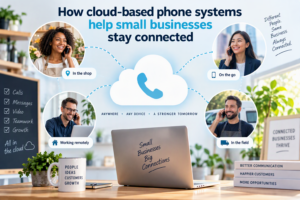
A missed telephone call can mean more than an unanswered question. It could be a lost sales opportunity, a frustrated customer or a potential client who decides to contact a competitor instead.
For small businesses, where every customer relationship matters, reliable communication is essential. Yet traditional office telephone systems can make it difficult for employees to stay connected when they work remotely, travel between appointments or manage several responsibilities at once.
Cloud-based phone systems offer another approach. They allow businesses to make and receive calls over an internet connection, using computers, smartphones or compatible desk phones rather than relying entirely on conventional office telephone equipment.
For small businesses looking to improve customer service without introducing unnecessary complexity, this technology deserves consideration.
But what exactly does a cloud phone system offer, and how does it fit into a wider customer relationship management strategy?
1. What is a cloud-based phone system?
A cloud-based phone system is a business telephone service hosted and managed through the internet rather than through traditional on-site telephone equipment.
It commonly uses Voice over Internet Protocol (VoIP), which converts voice into digital data that travels over an internet connection.
Instead of having every employee tied to a physical office telephone, authorised users can make and receive business calls through supported computers, mobile devices and desk phones.
Depending on the provider and subscription, the system may include:
- Business telephone numbers.
- Call forwarding and transfer.
- Voicemail and voicemail notifications.
- Automated greetings and call routing.
- Call queues and extensions.
- Video conferencing.
- Call history and reporting.
- Integration with selected business applications.
Not every provider offers all these features, and some may charge extra for advanced functionality.
The main attraction is flexibility. A business can manage its telephone communications without maintaining all the traditional hardware associated with an office phone system.
2. The benefits of cloud phone systems
For a small business, choosing a telephone system is about more than making and receiving calls. It is about making communication easier to manage.
Here are some of the benefits of cloud phone systems worth considering.
Greater flexibility for remote and mobile teams
Employees no longer need to be sitting at their office desks to answer business calls.
Depending on the service, they can use an approved mobile application or computer to communicate with customers from different locations.
This is useful for consultants, sales representatives, property professionals and service businesses whose employees spend much of their working day away from the office.
A customer can contact the business through its main number without necessarily knowing which employee is working remotely.
More organised call handling
A growing business may receive calls from existing customers, new prospects, suppliers and business partners.
A cloud system can help direct these calls to the appropriate person or department.
Automated greetings, call routing and call queues can reduce the need for someone to answer and manually redirect every call.
For a small team, this can make everyday communication more manageable.
Easier business expansion
Traditional telephone infrastructure can become restrictive when a business adds employees, opens another location or changes its working arrangements.
Many cloud phone services allow administrators to add users and adjust settings through an online management platform.
The precise costs and flexibility depend on the provider, but businesses may find it easier to adapt their communications as their requirements change.
Better access to communication records
Depending on the system, users may be able to review missed calls, check voicemail, view call history and access recordings where these are supported and legally permitted.
This can help employees keep track of customer conversations and identify calls that need attention.
However, call records are not a replacement for a proper customer management system. Businesses still need a reliable way to record enquiries, sales opportunities and follow-up activities.
3. Which business VoIP phone system features matter most?
Not every small business needs an elaborate telephone solution. The right choice depends on the number of employees, call volumes, customer expectations and available budget.
When comparing business VoIP phone system features, start with the functions that solve everyday communication problems.
| Feature | Why it matters |
|---|---|
| Call forwarding | Redirects calls when employees are unavailable. |
| Voicemail | Allows customers to leave messages outside business hours. |
| Auto-attendant | Provides automated greetings and directs callers. |
| Call queues | Organises incoming calls when several people need to answer. |
| Mobile applications | Helps employees remain reachable away from the office. |
| Call reporting | Provides information about call volumes and activity. |
| CRM integration | Can connect communication activities with customer records, where supported. |
| Video calling | Supports conversations when a telephone call alone is insufficient. |
A business should prioritise features that will actually be used.
For example, a two-person consultancy may need a professional greeting, call forwarding and voicemail. A growing sales team may benefit more from call queues, reporting and integration with its CRM.
Paying for sophisticated features that the business never uses adds cost without necessarily improving customer service.
4. How a cloud phone system and CRM integration can improve customer relationships
This is where cloud communications become particularly interesting for small businesses.
A telephone system manages calls. A Customer Relationship Management (CRM) system manages customer information and the activities surrounding those relationships.
Used together, they can provide a more complete picture of customer communication.
Imagine a small property agency receiving an enquiry from someone interested in a particular property.
The telephone system handles the call. A connected CRM may allow the employee to identify the customer, access previous interactions, record the enquiry and schedule a follow-up.
Depending on the integration, some activities may be recorded automatically, while others require employees to enter information manually.
This distinction is important. Not every phone system integrates with every CRM, and the depth of integration varies considerably.
Before choosing a provider, businesses should establish:
- Whether it connects directly with their existing CRM.
- Whether calls can be linked to customer records.
- Whether call notes or activity records can be saved.
- Whether the integration requires additional subscriptions.
- Whether the connection is native or depends on a third-party service.
For small businesses, the objective is straightforward: customer conversations should lead to organised follow-up rather than disappearing into a collection of telephone messages and email notifications.
5. Choosing a business phone system: What should small businesses consider?
Selecting a provider requires more than comparing monthly subscription prices.
A suitable solution should meet the company’s current requirements while allowing room for reasonable growth.
Consider the following factors before making a decision.
Total cost: Check the monthly price per user, calling charges, setup fees, telephone number costs, equipment requirements and additional feature charges.
Internet reliability: Cloud phone services depend on connectivity. Businesses should assess their internet speed, stability and available backup options.
Ease of use: Employees should be able to answer calls, transfer conversations and retrieve messages without complicated procedures.
Customer support: Find out what support is available, when it is available and whether assistance is included in the subscription.
Security and privacy: Ask how calls, account access, recordings and customer information are protected. Check the provider’s data storage arrangements and applicable privacy requirements.
Business continuity: Find out what happens if the internet connection or electricity supply fails. Consider mobile backup arrangements, alternative call routing and an appropriate power backup.
Scalability: Check how easily users, numbers and additional locations can be added.
For South African businesses in particular, it is sensible to check local number availability, international calling rates, network coverage and support for local power and connectivity conditions.
A low advertised monthly price is not necessarily the cheapest solution once all these costs are included.
6. Are cloud-based phone systems suitable for every small business?
Not necessarily.
Businesses with reliable internet access, employees working across different locations and a need for flexible call management may find them particularly useful.
However, companies operating in areas with unreliable connectivity need to consider the risks carefully.
VoIP services may also be affected by power interruptions. A business should not assume that its cloud telephone system will continue working during an electricity outage simply because the service is hosted remotely.
Before switching, ask the provider about backup power, mobile call forwarding, emergency calling arrangements and service availability.
It is also worth considering whether employees and customers will benefit from a change. If a business receives very few calls and its existing telephone arrangement works well, a complete replacement may not be necessary.
The best technology is the technology that solves a genuine business problem.
7. Making every customer conversation count
A telephone call can be the beginning of a valuable customer relationship, but only if the business follows through.
A cloud phone system can help employees remain accessible and manage incoming calls. A CRM can help them remember who called, what was discussed and what needs to happen next.
For example, a small service company might use its telephone system to handle customer enquiries and its CRM to:
- Store customer contact details.
- Record the reason for an enquiry.
- Track quotations and sales opportunities.
- Set reminders for follow-up calls.
- Maintain a history of customer interactions.
- Identify opportunities for repeat business.
A straightforward CRM can be particularly helpful for small teams that do not have dedicated customer service or sales departments.
The combination of organised communications and organised customer information can help businesses provide a more consistent experience.
Final verdict: Better communication starts with the right tools
Cloud-based phone systems have changed how businesses approach telephone communication. They offer flexibility, support mobile working and provide features that can make incoming calls easier to manage.
However, switching technology alone will not improve customer relationships. Businesses still need reliable processes for responding to enquiries, recording important conversations and following up on opportunities.
For small businesses, the most effective approach is to choose a phone system that meets their communication needs and consider how it can work alongside their existing business software.
A call should never be treated as just another interruption in the working day. It may be the beginning of a new customer relationship.
The right tools can help make sure that opportunity is not lost.